Managed AI agents for real business work

Routine work. Managed.

Your agent connects to the tools you use, completes the job and asks for approval when judgement matters.
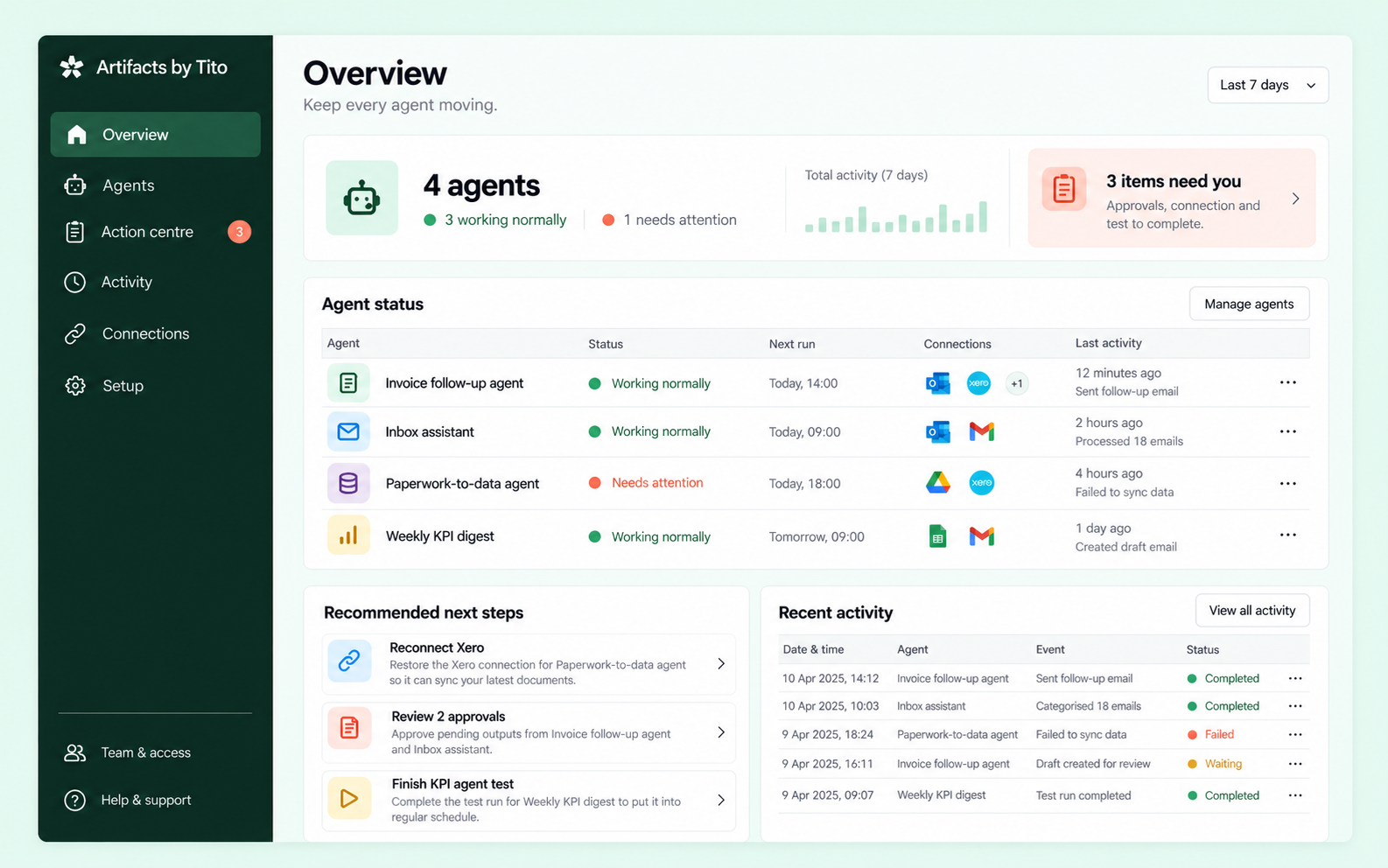
Managed agent control centre overview showing agent health, actions and recent activity
One place to stay in controlSee status, approvals, connections and completed work.
One managed serviceNo technical tier to choose
99 ready agentsAcross everyday business work
Your current toolsEmail, accounting, CRM and spreadsheets
Human controlFor sensitive actions and exceptions

A working agent, not another tool to manage.

Choose the business job. We configure the rules, AI and connections required to complete it safely.

Your existing tools

The agent works with approved systems and information sources.

ExcelOutlookAccountingCRM

Your managed agent

Rules handle predictable steps. AI reads and reasons. Guardrails decide when a person steps in.

Configured around your workflowMonitored and maintainedBound by your approval policy

Your control centre

Monitor work, approve actions, repair connections and request changes.

Visit when attention is neededComplete audit historyClear operational controls

Know what happened. Know what happens next.

The control centre translates technical integrations into clear business status and decisions.
Start with the overviewHealth, actions and recommendations.
Approve with contextSee the evidence and proposed action.
Audit every runInputs, decisions, tools and outcomes.
Explore every page
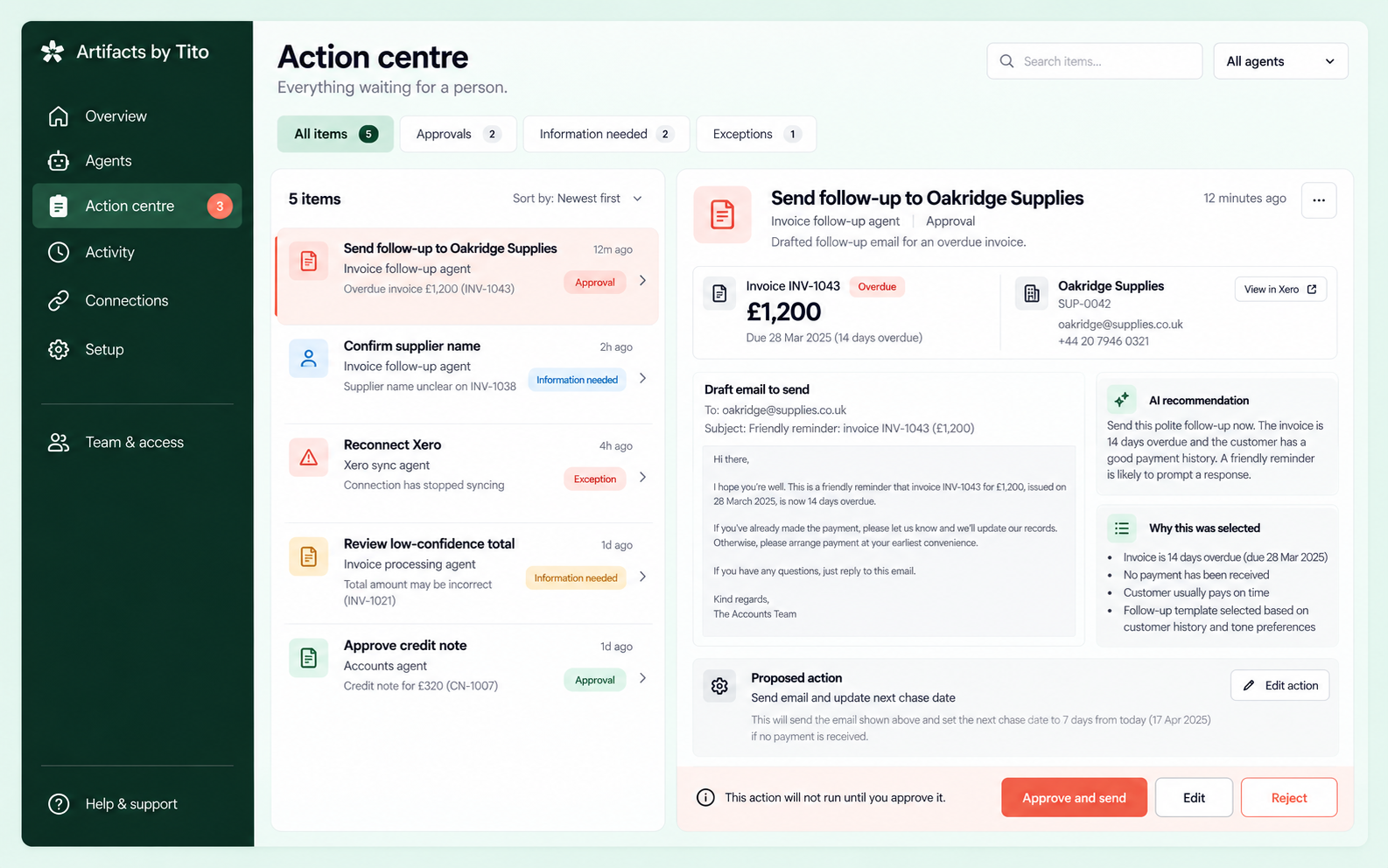
Action centre showing a customer approval request with evidence

Only ask when a person is needed.

One queue for approvals, missing information and exceptions.
Action centre
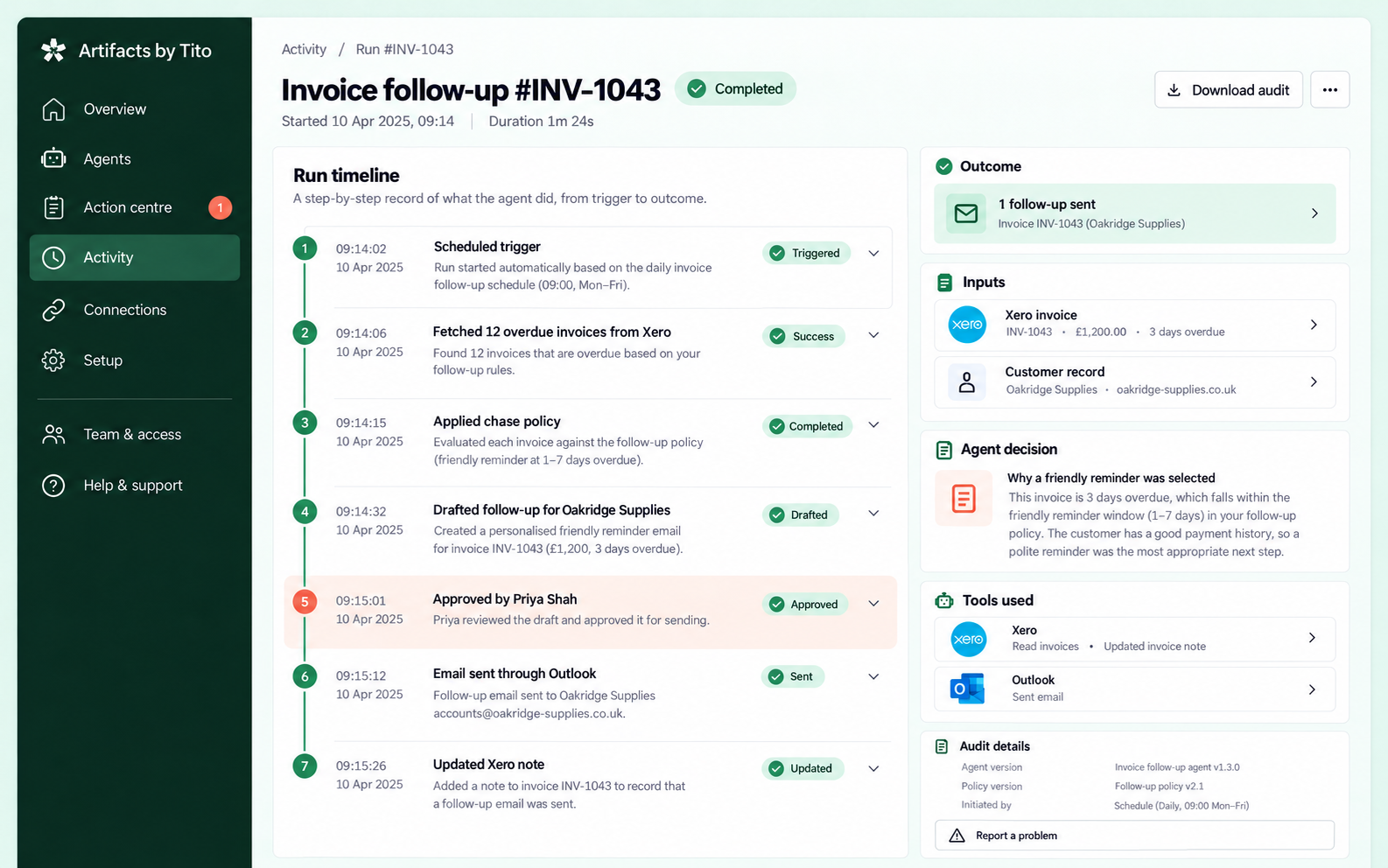
Detailed audit timeline for a completed managed agent run

Every important step stays visible.

Understand what the agent read, decided and changed.

Run audit
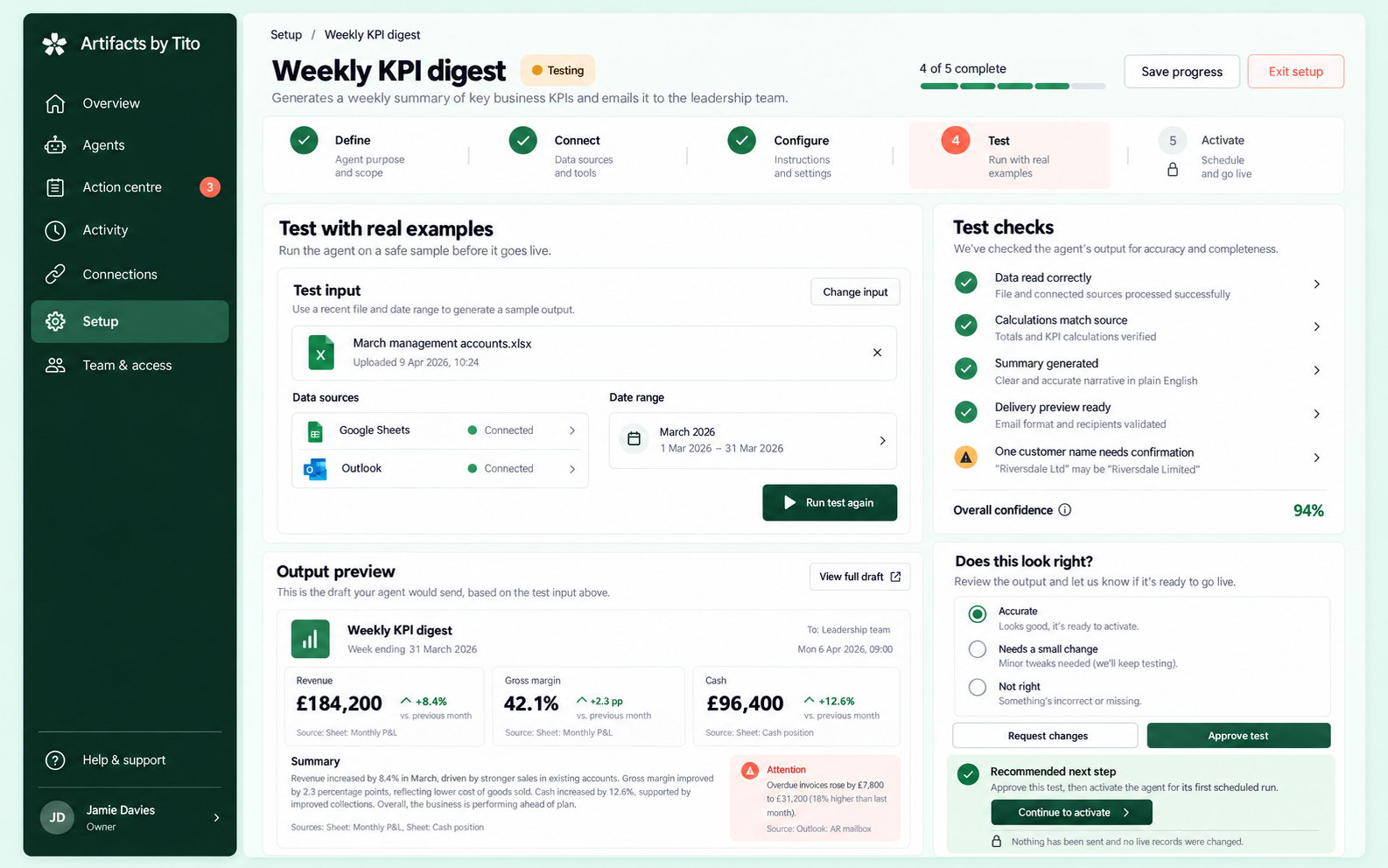
Safe testing page for a new managed agent before activation

Prove it safely before it goes live.

Every setup uses real examples in a protected test. You approve the output before the first scheduled run.

Test real inputsUse a recent file, email or record.
Check accuracySee calculations, confidence and warnings.
Activate with controlNo live record changes during testing.
See the implementation journey

Start with one job. Keep control from day one.

Describe the workflow that consumes time and see which managed agent fits it.

Diagnose my business

Browse managed agents.

Choose a business job, not an implementation method. Every agent is connected, monitored and controlled through the same service.

From painful workflow to working agent.

A visible implementation journey with safe testing, clear ownership and no mystery handover.

A clear path to useful work.

You see progress, blockers and recommended next steps throughout setup.

Define

Map the job, volume, people, systems and judgement points.

Purpose and scope

Connect

Authenticate approved tools or supply a managed source.

No passwords by email

Configure

Agree instructions, schedules, exceptions and approval policy.

Plain-English controls

Test

Run real examples in a safe environment and review the result.

No live changes

Activate

Start with oversight and expand autonomy when evidence supports it.

Monitored from day one

Choose how much control you want.

The engineering stays behind the service. You choose the operating boundary that matches the risk.

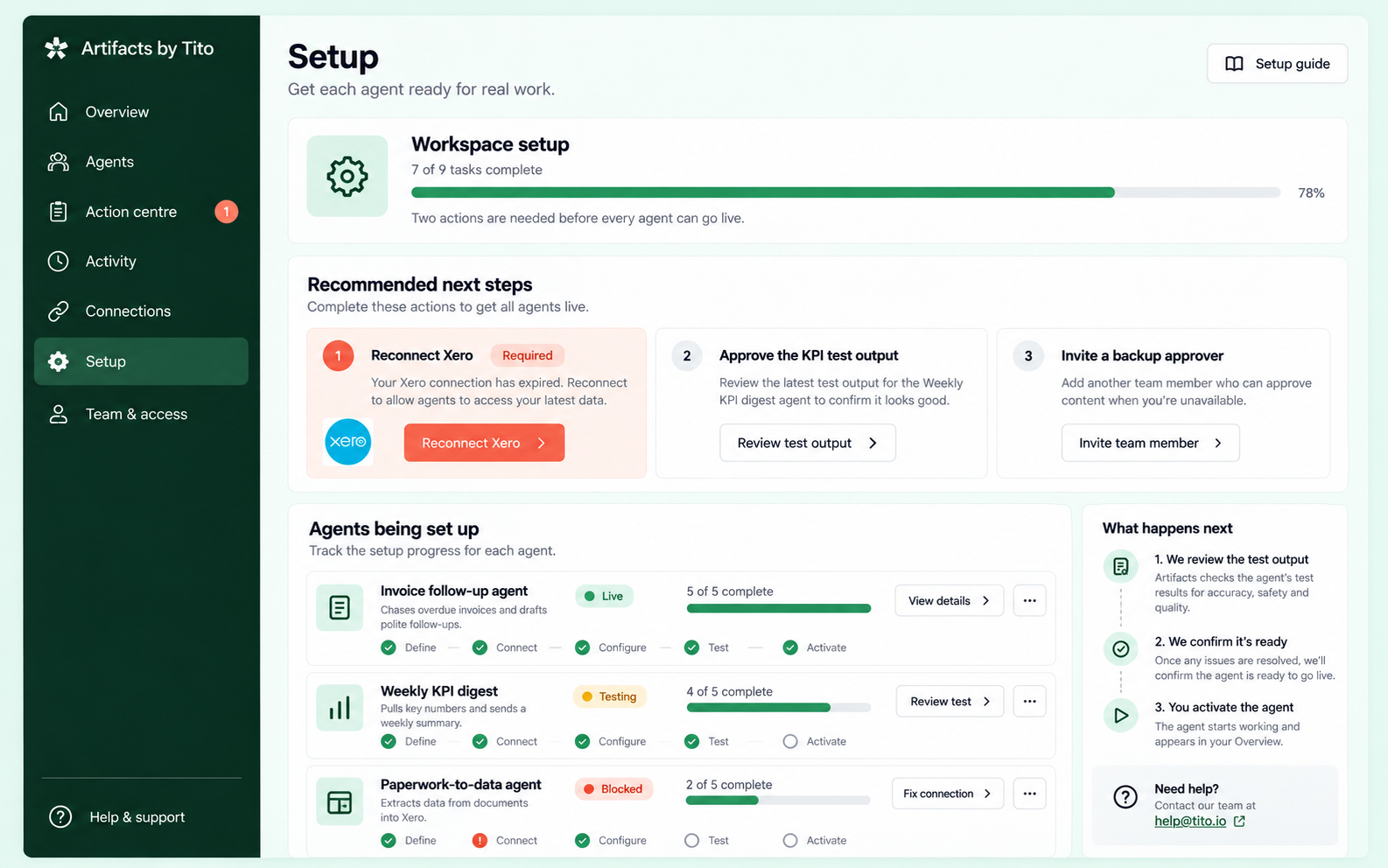
Setup stays visible after the kickoff call.

The setup hub shows every agent, its current stage, blockers and the next action required from each side.
Explore setup screens
Managed agent setup hub showing progress and recommended next steps

One calm place to run every agent.

Explore the customer pages for monitoring, approvals, audits, connections, setup and access.

Control centre overview

Overview

See agent health, attention items, recommended next steps and recent work across the workspace.

Question this page answersIs everything working?

One monthly price per managed agent.

The correct mix of rules, AI, connections and control-centre access is included. You do not need to choose a technical tier.

Clear subscription

Pay for a working job, not a collection of components.

Start with one agent. Add another only after the first one is working well.

Draft

Best for proving the workflow or keeping every final action human-led.

Autopilot

For mature, low-risk workflows with strong evidence and audit.

Managed AI Agent

One defined business job

Connected, monitored and maintained.

£199
from, per month
Workflow diagnosis and setupStandard system connectionsCustomer control centreApprovals and exceptionsActivity and audit historyMonitoring and fixesOwner, admin and approver accessGuided changes and improvements
Indicative monthly range
£199-£249
Check my fit

This is a planning guide, not a quote. Final pricing depends on volume, connection complexity, risk and support needs.
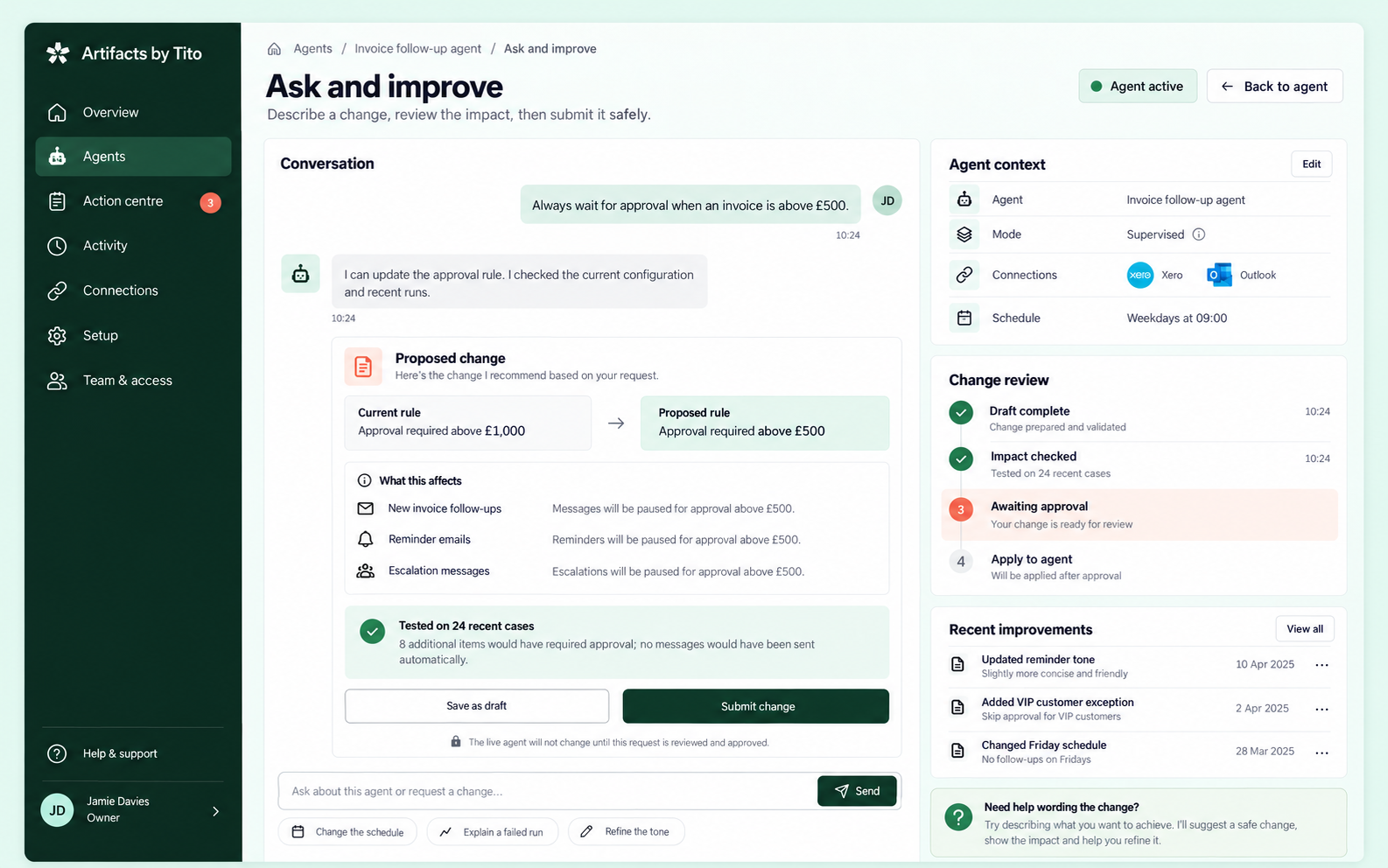
Ask and improve screen showing a reviewed configuration change

Improvements stay controlled.

Ask for a change in plain English. The system shows the current rule, proposed rule and tested impact before approval.

Read common questions

Questions businesses ask first.

Clear answers about tools, licences, security, portals and the difference between an agent and a custom application.

Is this automation, AI or a custom tool?
It is sold as one Managed AI Agent. We use rules, AI and secure connections in the combination the workflow needs. A separate custom application is only considered when the business needs a new working interface or specialist data system.
Can an agent work with Excel or basic tools?
Yes. Cloud workbooks, CSV uploads, monitored folders and email attachments can be practical sources. A desktop-only workbook may need a managed upload location or a different connection method.
Do we have to work inside the control centre?
Usually not. Most daily work can continue through email, accounting software, CRM, spreadsheets and other familiar systems. The control centre is where you monitor, approve, repair and adjust the agent.
Do we need additional software licences?
Control-centre Owner, Admin, Approver and Viewer access can be included in the agent subscription. You still retain any licences required by the business systems the agent connects to.
Does every agent need a chatbot?
No. Conversation appears where it improves the workflow, such as refining a report, explaining a failed run or proposing a rule change. Direct controls are used when they are faster and clearer.
What happens when a connection breaks?
Affected work pauses safely. The portal explains which connection failed, which agents are affected, the requested permissions and how an authorised person can reauthenticate.
Can the agent act without approval?
Yes, within the agreed boundary. Draft, Supervised and Autopilot modes let you decide where people remain involved. Sensitive actions can always require approval.
When would we need a custom application?
A custom application is appropriate when the business needs a new case system, customer portal, specialist data model or day-to-day working interface. That is separate from the managed-agent subscription and quoted after diagnosis.

Find the first agent worth building.

Answer four practical questions. The result suggests a starting workflow, operating mode and setup path.